When purchase bills are not tracked properly, businesses may miss payment due dates, pay the same invoice twice or struggle to understand how much they owe suppliers. Poor payment planning can also affect cash flow and supplier relationships.
A structured supplier payment management process helps businesses maintain accurate purchase records, monitor outstanding balances and plan payments more effectively.
In this guide, we will explain how to track outstanding purchase bills, organise supplier payments and reduce common accounting errors.
What Are Outstanding Purchase Bills?
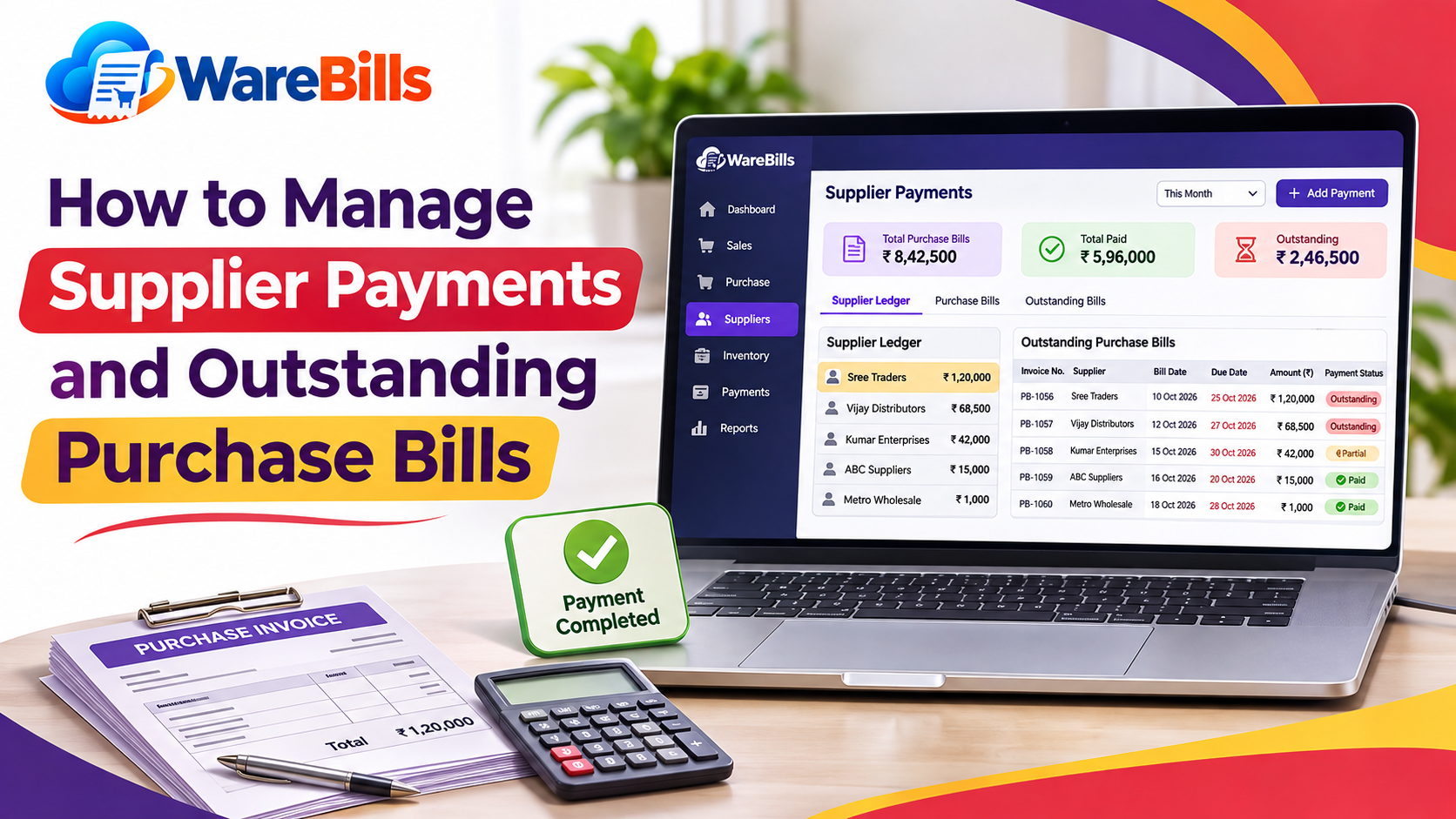
Outstanding purchase bills are supplier invoices that have been recorded but have not yet been fully paid.
For example, a retailer purchases goods worth ₹25,000 from a supplier on 30-day credit terms. If the retailer has not paid the invoice by the reporting date, the unpaid amount remains outstanding.
Outstanding bills may include:
- Newly received supplier invoices awaiting payment
- Bills approaching their due dates
- Overdue invoices
- Partially paid purchase invoices
- Bills under review because of quantity or pricing discrepancies
Businesses should distinguish between the original invoice amount, payments already made and the remaining balance.
Outstanding Balance = Invoice Amount − Payments and Credits Applied
This calculation assumes that all relevant payments and credit adjustments have been correctly recorded.
Why Supplier Payment Management Matters
1. Prevents Missed Payment Due Dates
Without a clear payment schedule, businesses may forget when supplier invoices are due. Tracking due dates helps owners prioritise payments and avoid unnecessary late-payment charges where applicable.
2. Improves Cash Flow Planning
Knowing upcoming supplier obligations helps businesses estimate how much cash is needed for daily operations, salaries, rent and other expenses.
3. Supports Better Supplier Relationships
Paying suppliers according to agreed terms helps build trust and may support future negotiations about pricing, credit periods or delivery arrangements.
4. Reduces Duplicate Payments
Maintaining unique invoice references and payment records makes it easier to identify bills that have already been settled.
5. Improves Financial Accuracy
Accurate purchase and payment records help businesses reconcile supplier balances and prepare more reliable financial reports.
How to Track Outstanding Purchase Bills
A consistent process makes supplier balances easier to monitor.
Step 1: Record Every Supplier Invoice
Enter each supplier invoice into the business's accounting or purchase records promptly.
Capture the key details:
- Supplier name
- Supplier invoice number
- Invoice date
- Invoice amount
- Applicable taxes and charges
- Payment terms
- Due date
- Amount paid
- Remaining balance
- Payment status
Use the supplier's actual invoice number as a reference and check for duplicate entries before saving the bill.
Step 2: Calculate the Outstanding Amount
Suppose a business receives a supplier invoice for ₹40,000 and makes a payment of ₹15,000.
Outstanding Balance = ₹40,000 − ₹15,000 = ₹25,000
The bill should be recorded as partially paid if the business's system uses that status. The remaining ₹25,000 should stay visible until it is paid or adjusted through a valid transaction.
Step 3: Record the Due Date
Use the payment terms agreed with the supplier to determine when payment is due.
For example, if an invoice dated 1 November has a 30-day payment term, the due date will generally fall around the beginning of December, subject to the agreement and applicable date-counting rules.
Record the actual due date rather than relying on memory.
Step 4: Update Payment Records Promptly
Whenever a payment is made, record the payment date, amount, payment method and relevant reference number.
If an invoice is paid in multiple instalments, record each payment against the correct bill so the outstanding balance remains accurate.
Step 5: Reconcile Supplier Statements
Compare your purchase and payment records with the statement provided by the supplier.
Investigate differences such as:
- Invoices missing from your records
- Payments not reflected by the supplier
- Duplicate invoices
- Unrecorded purchase returns or credit notes
- Differences in invoice values
- Payments allocated to the wrong invoice
Resolve discrepancies before treating the supplier balance as final.
Use an Outstanding Purchase Bills Report
An outstanding bills report helps business owners identify which invoices require attention.
A useful report may include the following columns:
Supplier B's bill has no outstanding balance, assuming the payment has been correctly allocated and no further adjustments are pending. Suppliers A and C still have amounts to be paid.
Review the report regularly and filter it by supplier, due date or payment status when needed.
Organise Bills by Payment Priority
Not every outstanding invoice requires payment on the same day. Organising bills by urgency helps businesses plan available funds.
Bills Due Soon
These invoices are approaching their agreed payment dates. Review them in advance so the business can arrange funds on time.
Overdue Bills
These invoices have passed their due dates and still have an outstanding balance. Confirm the amount owed, check for disputes and contact the supplier if payment will be delayed.
Partially Paid Bills
These invoices have received one or more payments but still have a balance due. Check the remaining amount and next payment commitment.
Bills Under Dispute
These invoices may contain quantity differences, incorrect prices or other unresolved issues. Keep them clearly identified and communicate with the supplier rather than losing track of them in the general outstanding list.
The payment schedule should consider contractual terms, cash availability, business priorities and any applicable late-payment conditions.
Create a Supplier Payment Schedule
A payment schedule helps businesses plan upcoming obligations instead of reacting to each invoice separately.
A simple weekly routine can include:
- Review all unpaid bills at the beginning of the week.
- Identify invoices due within the next seven days.
- Check available cash and expected customer collections.
- Confirm disputed invoices and missing documents.
- Schedule payments according to agreed terms.
- Record completed payments and update balances.
- Review overdue invoices and communicate with suppliers where necessary.
For example, a distributor expecting customer payments on Friday may plan supplier payments around the expected collections, while maintaining enough cash for essential operating expenses.
Expected collections should not automatically be treated as available cash until the business has reasonable confidence that the money will arrive.
Common Supplier Payment Mistakes to Avoid
1. Entering the Same Invoice Twice
Duplicate purchase invoices can inflate outstanding balances and lead to duplicate payments. Check supplier names, invoice numbers, dates and amounts before creating a new entry.
2. Forgetting Partial Payments
If a payment is made but not recorded against the correct invoice, the system may show more money outstanding than the business actually owes.
3. Ignoring Purchase Returns
Returned goods may reduce the amount payable when the supplier accepts the return and issues the appropriate credit documentation. Record the return and related credit correctly.
4. Paying Without Verifying the Invoice
Check the supplier details, quantities, agreed prices, tax information and delivery records before approving a bill for payment.
5. Failing to Reconcile Supplier Statements
Even when internal records look correct, differences can arise because of missing invoices, unallocated payments or credit notes. Regular reconciliation helps identify these problems.
6. Not Keeping Payment Evidence
Maintain payment references, receipts, bank transaction details or other appropriate evidence. These records help resolve disputes and support accounting checks.
How Billing and Accounting Software Can Help
Businesses that manage many supplier invoices may benefit from software that organises purchase records and payment information.
When evaluating WareBills or another business software solution, check whether the available features meet your needs for:
- Recording supplier purchase invoices
- Tracking paid, unpaid and partially paid bills
- Viewing supplier balances
- Recording payments against specific invoices
- Managing purchase returns and credit adjustments
- Reviewing purchase history and reports
- Exporting records for accounting and reconciliation
Confirm the product's current capabilities before relying on it for a particular accounts payable workflow.
If your business currently uses spreadsheets, begin with a simple register containing supplier name, invoice number, invoice date, due date, invoice amount, payments made and outstanding balance. Update it whenever a bill or payment is recorded.
Conclusion
Supplier payment management helps businesses maintain accurate financial records, avoid duplicate payments and plan cash flow more effectively. By recording purchase invoices promptly, tracking due dates, updating partial payments and reconciling supplier statements, businesses can maintain better control over outstanding bills.
Start by preparing an up-to-date list of unpaid invoices and reviewing the amounts due each week. As the number of suppliers grows, consider software that supports your purchasing, payment tracking and reporting requirements.
A consistent process makes supplier obligations easier to manage and helps businesses maintain reliable relationships with their suppliers.