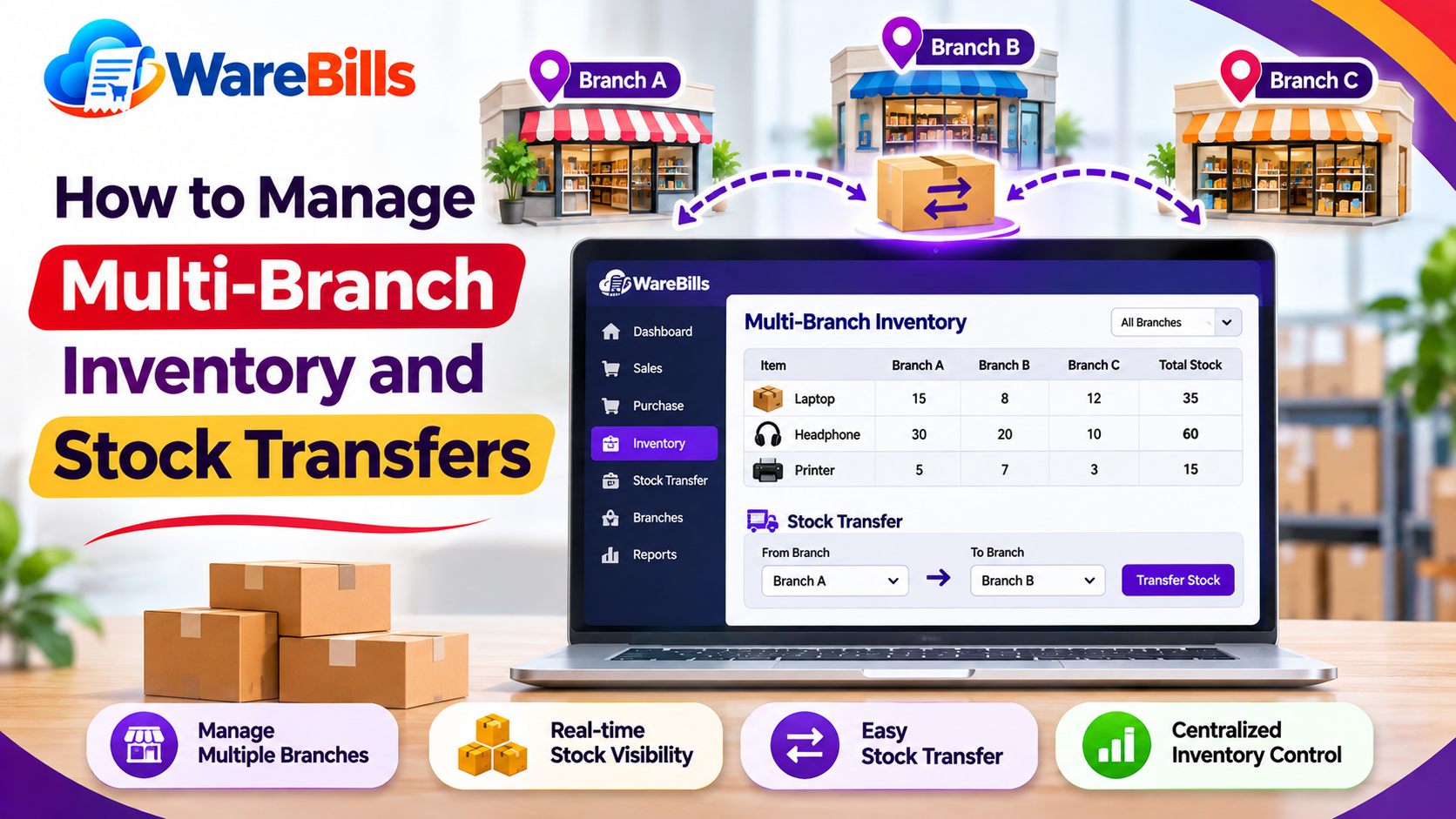
When inventory records are maintained separately, businesses may face stock shortages at one branch while excess stock remains at another. Unrecorded transfers, delayed updates and incorrect quantities can also create discrepancies between actual stock and software records.
A structured multi-branch inventory management process helps businesses understand where products are stored, move stock accurately and make better purchasing decisions.
In this guide, we will explore practical ways to manage stock across branches and record transfers efficiently.
What Is Multi-Branch Inventory Management?
Multi-branch inventory management is the process of monitoring, controlling and replenishing stock across multiple business locations from an organised inventory system.
Depending on the business, these locations may include:
- Retail shops and showrooms
- Warehouses and distribution centres
- Wholesale outlets
- Regional storage facilities
- Branch offices that maintain product stock
For example, a business operating shops in Madurai, Sivakasi and Tirunelveli may store different quantities of the same product at each location. Its inventory process should identify the quantity available at each branch rather than showing only one combined stock figure.
A useful system distinguishes between stock at an individual branch, stock across all branches and stock currently being transferred.
Common Challenges in Multi-Branch Stock Management
1. Incorrect Stock Visibility
When branch records are updated late, employees may assume that a product is available when it has already been sold or transferred.
This can lead to cancelled orders, delayed deliveries and unnecessary purchases.
2. Unrecorded Stock Transfers
Staff may move products between branches without creating a transfer record. The sending branch's quantity may be reduced without the receiving branch's stock being updated correctly.
3. Overstocking at One Branch
One location may hold excess stock while another frequently runs out of the same item. Without reviewing branch-level demand, businesses may continue placing unnecessary purchase orders.
4. Duplicate or Missing Entries
Recording the same transfer twice or forgetting to record a receipt can make inventory figures inaccurate.
5. Difficulty Tracking Damaged or Missing Goods
If products are damaged or quantities differ during transportation, businesses need clear records to identify where the discrepancy occurred.
6. Inconsistent Product Information
Different product names, codes or units of measurement across branches can cause confusion. A standard product catalogue helps employees identify the same item consistently.
How to Transfer Stock Between Branches Correctly
A consistent stock transfer process helps maintain accurate inventory records at both locations.
Step 1: Check the Stock Requirement
Before moving products, confirm the receiving branch's current stock, expected demand and pending orders.
For example, if a branch has only 5 units remaining but expects demand for 20 units, the manager can review stock at other locations before placing a new supplier order.
Step 2: Check the Sending Branch's Availability
Confirm that the sending branch has sufficient available stock after accounting for existing commitments.
Avoid transferring products that are already reserved for customers or needed to meet pending orders.
Step 3: Create a Stock Transfer Record
Record the transfer details before dispatching the products.
A stock transfer record should ideally contain:
- Transfer reference number
- Sending branch
- Receiving branch
- Product name or SKU
- Quantity transferred
- Transfer date
- Employee or user responsible
- Dispatch and receipt status
- Notes about shortages or damage, where relevant
A unique transfer reference helps both branches identify the same transaction.
Step 4: Dispatch and Verify the Products
The sending branch should check the product and quantity before dispatch.
The receiving branch should count the goods upon arrival and compare the received quantity against the transfer record.
If 50 units were dispatched but only 48 arrived, record the discrepancy and investigate the missing two units rather than automatically treating the transfer as complete.
Step 5: Update the Inventory Records
The sending and receiving branches should have clear stock movements recorded according to the transfer workflow.
A system may reduce the sending branch's available stock at dispatch and record the receiving stock upon confirmation. Some systems track goods in transit separately.
The business should use a consistent process that prevents stock from being counted twice or disappearing temporarily from its records.
Step 6: Confirm the Transfer
Once the quantities are verified, mark the transfer as received or completed according to the system's workflow.
Review pending transfers regularly so that delayed receipts and unresolved differences are not overlooked.
Example: Stock Transfer Between Two Branches
Suppose a retailer has two branches and manages a product called Product A.
In this example, Branch A transfers 30 units to Branch B. Assuming no other stock movements occur, the total stock remains 140 units.
The transfer changes the location of the stock, not the total quantity owned by the business.
Important: During transportation, the 30 units may need to be tracked as goods in transit, depending on the inventory system. This helps distinguish stock that has left the sending branch from stock that has physically arrived at the receiving branch.
Use Branch-Level Reorder Planning
Each branch may have different sales volumes, seasonal demand and customer preferences. Applying the same reorder level to every location may lead to excess stock at some branches and shortages at others.
Review these factors for each branch:
- Average daily or weekly sales
- Current available stock
- Supplier lead time
- Pending customer orders
- Seasonal demand
- Minimum stock requirements
- Existing incoming transfers
For example, a fast-moving product may require a higher reorder level at a busy city branch than at a smaller outlet.
Before purchasing more stock, check whether another branch has suitable excess inventory that can be transferred economically.
Standardise Product Codes and Units
Accurate stock transfers depend on consistent product information.
A business should maintain a common product catalogue across its branches, including standard product names, SKUs or item codes, units of measurement and relevant product variations.
For example, if one branch records a product as “Water Bottle 1L” and another records it as “Bottle Large,” staff may struggle to confirm whether they refer to the same item.
Use standard identifiers and clear units such as pieces, boxes, packs or kilograms. Where products are purchased in cartons but sold individually, define the conversion accurately.
For products with batch numbers, serial numbers or expiry dates, include the relevant tracking information in the transfer process when required.
Reconcile Branch Stock Regularly
Even a well-organised inventory system can develop differences because of data-entry mistakes, damaged goods, theft, unrecorded sales or incorrect transfers.
Conduct periodic stock counts and compare the physical quantity with the recorded balance at each branch.
When differences occur:
- Recount the affected products.
- Review recent sales and purchase entries.
- Check pending and completed stock transfers.
- Examine returns, damaged stock and adjustment records.
- Identify the cause before recording an adjustment.
- Document the correction and obtain approval where required.
High-value products and fast-moving items may need more frequent checks than slow-moving products.
The goal is not just to correct the quantity but also to identify why the discrepancy happened.
How Inventory Software Can Help Manage Multiple Branches
Inventory software can help organise branch-level stock records and make stock movements easier to track. The exact capabilities vary by product, so businesses should evaluate their requirements before choosing a solution.
Useful capabilities to check include:
- Separate stock balances for each branch or warehouse
- Stock transfer creation and tracking
- Dispatch and receipt confirmation
- Goods-in-transit tracking, if needed
- Branch-level sales and inventory reports
- Reorder alerts or stock-level monitoring
- User permissions and transaction history
- Stock adjustment and reconciliation records
When evaluating WareBills, confirm that its currently available features support the number of branches, stock transfer workflow and reporting requirements of your business.
Before using any system for daily operations, test a complete scenario: create a transfer, dispatch the stock, receive the goods, review both branch balances and check how shortages are recorded.
Best Practices for Multi-Branch Inventory Management
Follow these practices to maintain better stock control as your business expands:
- Use a standard product catalogue across all branches.
- Assign unique references to stock transfers.
- Record transfers promptly and verify quantities on receipt.
- Review goods in transit and pending transfers.
- Set reorder levels based on each branch's demand.
- Check stock availability before creating new purchase orders.
- Restrict stock adjustments to authorised users.
- Reconcile physical stock with system records.
- Investigate repeated discrepancies instead of making unexplained adjustments.
- Review branch-level inventory reports regularly.
These steps create a consistent process and help employees understand their responsibilities at every stage of a stock movement.
Conclusion
Managing inventory across multiple branches requires accurate stock visibility, clear transfer records and consistent procedures. Businesses that rely on informal communication or separate spreadsheets may struggle to identify stock shortages, duplicate entries and missing goods.
By checking branch-level demand, recording transfers, confirming received quantities and reconciling stock regularly, retailers and wholesalers can improve inventory accuracy and use existing stock more efficiently.
As your business grows, evaluate inventory software that supports your actual branch structure and stock transfer workflow. A well-managed process helps keep products accountable from dispatch to receipt.